Trending Instagram Saree Photo Editing Prompts
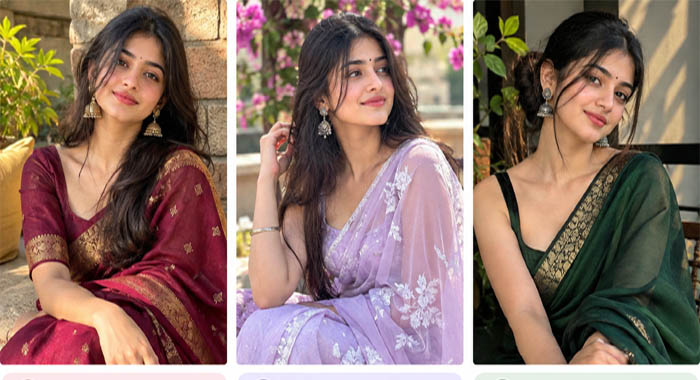
Want to give your photos a beautiful traditional makeover? These trending ChatGPT saree photo editing prompts make it easy to transform your normal pictures into stunning, Instagram-worthy portraits. Whether you love the royal look of a red silk saree, the dreamy vibe of a lavender saree, or the elegance of a dark green saree, you can create different styles with just a few simple steps.
How to Use These Prompts
- Open ChatGPT and upload a clear photo of yourself.
- Choose your favourite saree editing prompt from the list.
- Click the Copy Prompt button to copy the text.
- Paste the copied prompt into ChatGPT and send it.
- Let ChatGPT create your photo edit based on the description.
- If you want to change anything, simply ask ChatGPT to adjust the saree colour, background, jewellery, makeup, or lighting.
Pro tip: For a more natural result, use a high-quality photo and include instructions such as “Keep my original face and identity unchanged.”
These prompts are perfect for creating beautiful Instagram posts, profile pictures, festive portraits, and Reels covers. Pick your favourite saree style, try it with your photo, and give your Instagram feed a fresh, elegant look! ❤️✨
10 Chatgpt photo editing prompts trending instagram for girl saree copy
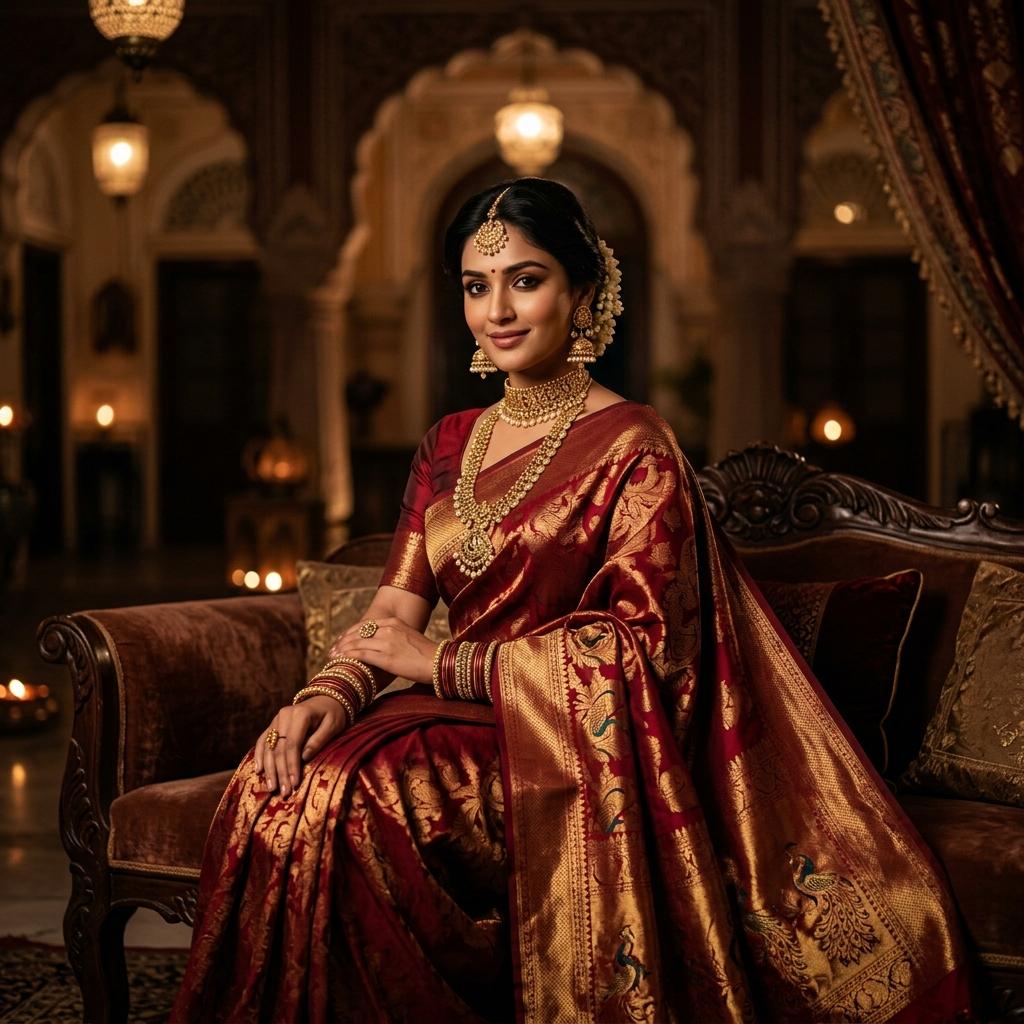
1. Red saree — royal traditional look
Instagram aesthetic
“Edit my photo into a beautiful, realistic portrait of me wearing a luxurious red silk saree with a golden border, traditional gold jewellery, a small red bindi, soft makeup, and long flowing hair. Add warm cinematic lighting, a royal Indian palace background, natural skin texture, and professional DSLR photography. Preserve my exact facial features and identity.”
2. Pink saree — soft aesthetic
“Transform my photo into an elegant Instagram portrait wearing a pastel pink chiffon saree with delicate embroidery, pearl earrings, soft pink makeup, glossy lips, and loose wavy hair. Add dreamy sunlight, a blurred garden background, soft pink tones, realistic fabric details, and a romantic editorial photography style. Keep my face exactly the same.”

3. Black saree — classy look
“Create a photorealistic, classy portrait of me wearing a black designer saree with a sleek blouse, silver jewellery, winged eyeliner, and soft curls. Use dramatic low-key lighting, a dark blurred background, subtle highlights, rich contrast, and a luxury fashion magazine aesthetic. Preserve my original face, body proportions, and natural skin texture.”

4. White saree — angelic look
“Edit my photo with me wearing a beautiful white organza saree, delicate silver jewellery, jasmine flowers in my hair, dewy makeup, and a peaceful expression. Add golden-hour sunlight, a soft blurred background, a gentle breeze, and a dreamy cinematic Instagram aesthetic. Keep my face unchanged and the result photorealistic.”

5. Blue saree — royal look
“Make my photo look like a luxury Indian fashion photoshoot. Dress me in a royal blue silk saree with an intricate gold border, traditional gold earrings, bangles, a small bindi, and elegant makeup. Add an ornate palace backdrop, cinematic lighting, realistic skin texture, and sharp DSLR details. Maintain my original identity.”

6. Yellow saree — sunset glow
“Transform my photo into a candid, beautiful portrait wearing a mustard-yellow saree with a matching blouse, oxidised earrings, and natural makeup. Add a sunset background, warm orange rim lighting, a gentle breeze moving the saree pallu, and a candid 85mm portrait photography look. Keep my facial features realistic and unchanged.”

7. Green saree — vintage film look
“Edit my photo into a vintage Indian portrait featuring an emerald-green saree, antique gold jewellery, a traditional bindi, and softly curled hair. Add a heritage-house background, subtle film grain, warm muted colours, soft shadows, and 1990s Bollywood-inspired photography. Preserve my original face and make the image look like a real photograph.”
8. Maroon saree — festive traditional look ❤️
“Edit my photo into a beautiful traditional look with a maroon silk saree with a golden border, matching blouse, traditional gold jhumka earrings, a small bindi, and soft makeup. Add a festive background with warm lighting and subtle bokeh. Keep my face, features, and identity exactly the same. Make it natural, realistic, and suitable for an Instagram post.”
Copy prompt: Tap and copy the text above.
9. Lavender saree — dreamy aesthetic ✨
“Transform my photo into a dreamy and aesthetic portrait wearing a lavender chiffon saree with delicate embroidery, minimal silver jewellery, soft pink makeup, and loose wavy hair. Add a beautiful garden background with blooming flowers, soft sunlight, and a romantic vibe. Keep my face and identity unchanged, and make the image natural and realistic.”
10. Dark green saree — modern classy vibe 🌿
“Edit my photo into a stylish and classy portrait wearing a dark green saree with a designer blouse, oxidised silver jewellery, soft eyeliner, and a messy bun hairstyle. Add a modern indoor or balcony background with natural light and shadows. Keep the look minimal yet elegant, with realistic textures, soft contrast, and a cinematic Instagram aesthetic. Preserve my original face, body proportions, and identity.”